As per MSDN, In C++/C time(NULL) function returns the time elapsed in seconds since midnight, January 1, 1970, which is Coordinated Universal Time (UTC) according to the system clock - is the current time, precisely. To achieve the same in C#, code should look something similar like as below:
Sunday, April 10, 2011

Monday, February 21, 2011
atlcom.h errors
After installing Visual Studio 2008, It is recommended to run Windows Updates to ensure whether the below updates have been installed? If not then one should install them.
Microsoft Visual Studio 2008 Service Pack 1 ATL for Smart Devices (KB973675)
Microsoft Visual Studio 2008 Service Pack 1 (KB971092)
Microsoft Visual Studio 2008 Service Pack 1 (KB972222)
Otherwise, It will throw compilation errors as listed below when you compile your source code.

Sunday, February 13, 2011
Top 50

Made into Visual C++ Brain bench Top 50 scorers in India, it was very less score though. But had attempted this some time in 2004 as I remember but not sure why is it showing as 2010? However happy to reminiscence :).
 Also, had gotten Master in C++ (Click image to view Transcript)

(Click image to view Transcript)
Friday, December 10, 2010
COM Books
What are the preferred books for COM (Component Object Model) Programming? On msdn forums, It is a most frequently asking question. And I saw different people recommending different books (including me). Hence, I thought that I would track all the recommended books at one place so that it can be shared to, if anybody looks for in the future.
[#1] Inside COM (Author: Dale Rogerson) - Is a good book from Microsoft and very good to start with. There is another book with similar title as Inside Distributed COM for Distributed COM from the Microsoft itself.

[#2] Essential COM (Author: Don Box) - It was my favorite book (of course for many across the globe) and it is still, Obvious choice, if one would serious about knowing breadth and depth of Component Object Model. and Effective COM is it's supplement from the same author.


[#3] COM/DCOM Primer Plus (from SAMS), It is another good book to refer through some of the COM intricacies.
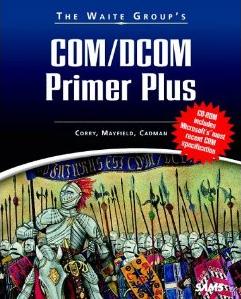
The list would be short and to the best of my knowledge though it is not the exhaustive list.
Sunday, November 7, 2010
Quotes
Chase excellence and success will follow. ~ 3 Idiots
If you don't stand for something, you will fall for anything. ~ Malcolm X
If you tell the truth, you don't have to remember anything. ~ Mark Twain
Friday, October 8, 2010
Tuesday, October 5, 2010
Quotes
What you are is not what you are and what others are telling you is, what you are. ~ MLS ShastriAnalogies and Anecdotes are common in the lectures of MLS Shastri, who used to run a training institute called Uttara (Located at Rajaji Nagar, Bangalore, India). He was conducting training's (through Audio recorded sessions) for C, C++ and Advanced Unix. His teaching was very unique in nature and he had a great comprehension on the subject.
I admire his talent and no doubt, he is a great inspiration to many. I feel extremely honored to have attended his classes (in 2003). That’s one of the best things that has ever happened in my life.
It’s a big pain, curbing myself to describe him this succinctly. Lastly, Kudos to him!
Saturday, September 25, 2010
Windows Installer Information | C#
When you are working with Installer applications. At times, you may have to find properties of underlying components inside Installer (.msi) packages. MSI does maintain a database of all the properties of underlying items.
Windowsinstaller can be used to find this information. Usage of the WindowInstaller has already been published in another post.
The below C# method helps you to find a property of an underlying component:
The above method takes two parameters sMsiFilePath - indicates the exact path of the .msi file and sProperty is the name of the property(e.g. Version) to find and returns the the property value as a string.
e.g. GetMSIProperty("C:\Test\Setup.msi", "DisplayVersion"); // to make a call to the above method
e.g. GetMSIProperty("C:\Test\Setup.msi", "DisplayVersion"); // to make a call to the above method
Friday, September 24, 2010
x32 Or x64? | C#
Developers more often, want to know the processor type (32 bit or 64 bit) to make some programming decisions. It usually happens, when you write applications for 64 bit machine. Registry entries are also added on different paths for 32 bit and 64 bit Applications.
When you install a 64 bit application, the entry in the registry will be made under the below path: And a 32 bit application will make an entry under the following path: The below C# code detects the processor type of the machine, where your application is running:
In the above code, PROCESSOR_ARCHITECTURE is the environment variable, which carries the information of the system type. Environment is the class (part of the System namespace) to expand the environment variable to extract the machine architecture.